4.10. System Preferences
This section contains global platform settings that control the behavior of suSSHi Suite components and administrative services across the entire deployment.
4.10.1. Authentication and User Interface Settings
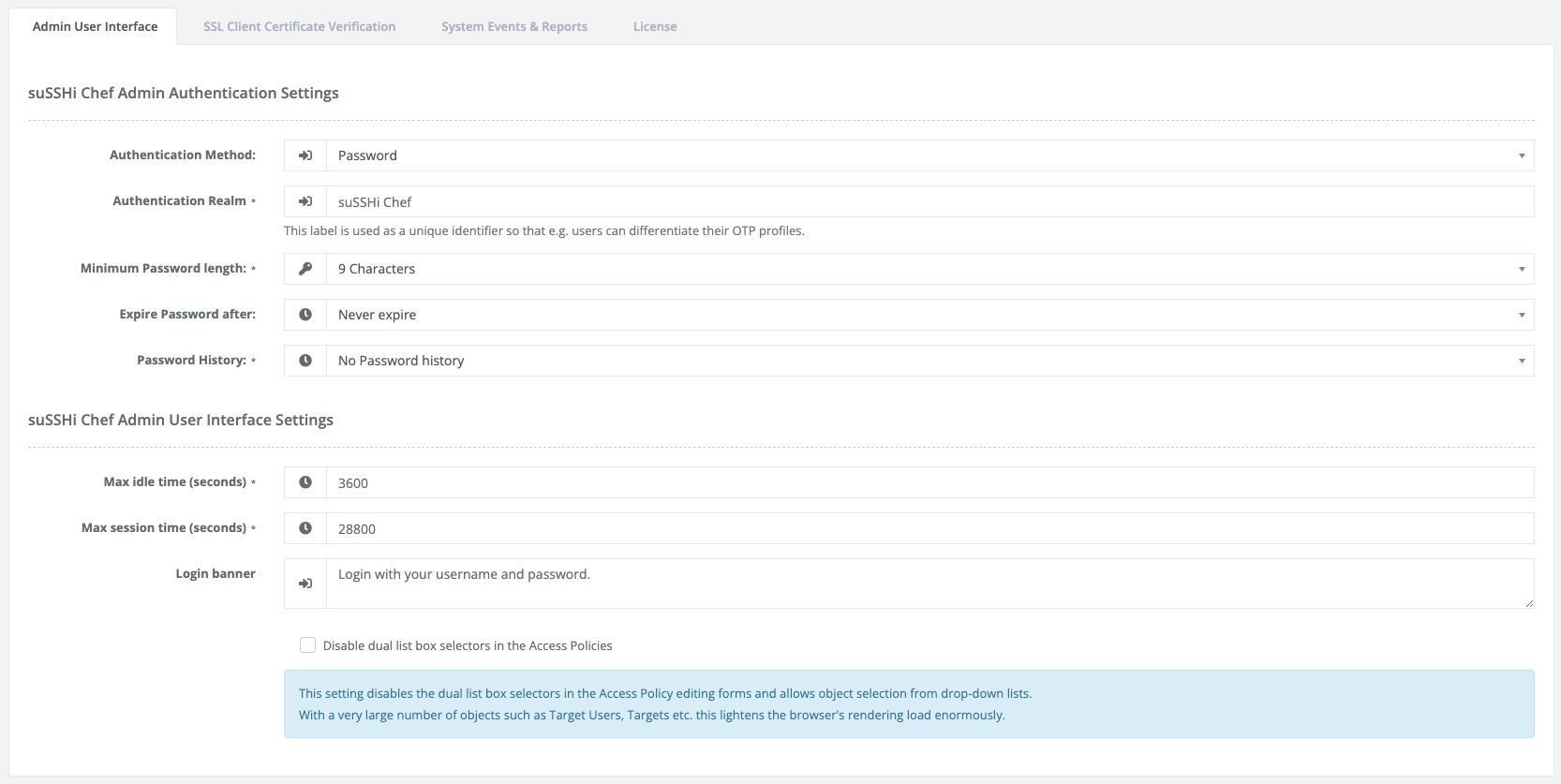
The Admin User Interface section contains configuration options related to administrative authentication, password policies, session handling, and Time-based One-Time Password (TOTP) settings for both suSSHi Chef administrators and suSSHi Gateway users.
4.10.2. SSL Client Certificate Verification
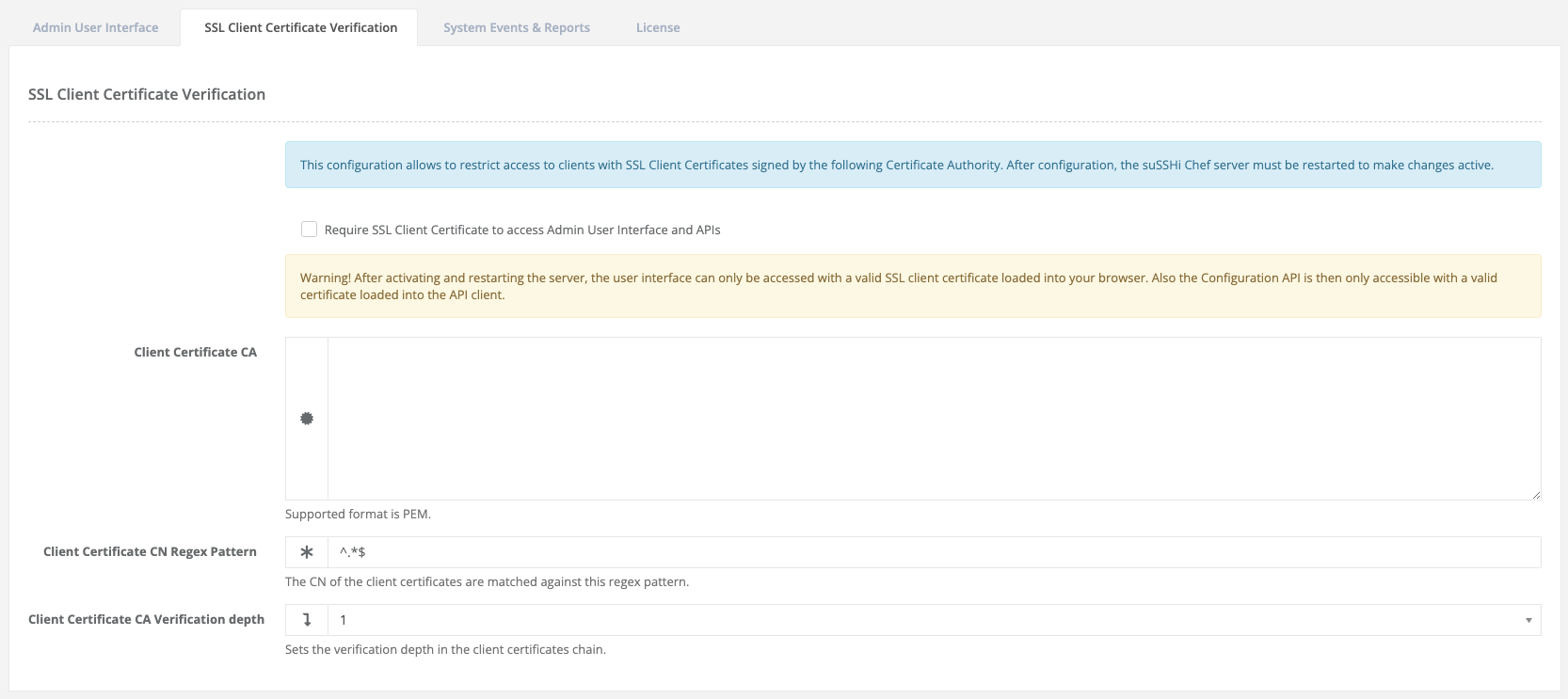
The SSL Client Certificate Verification settings allow administrators to restrict access to the suSSHi Chef administrative user interface and APIs to clients presenting valid SSL/TLS client certificates.
4.10.3. System Events & Reports
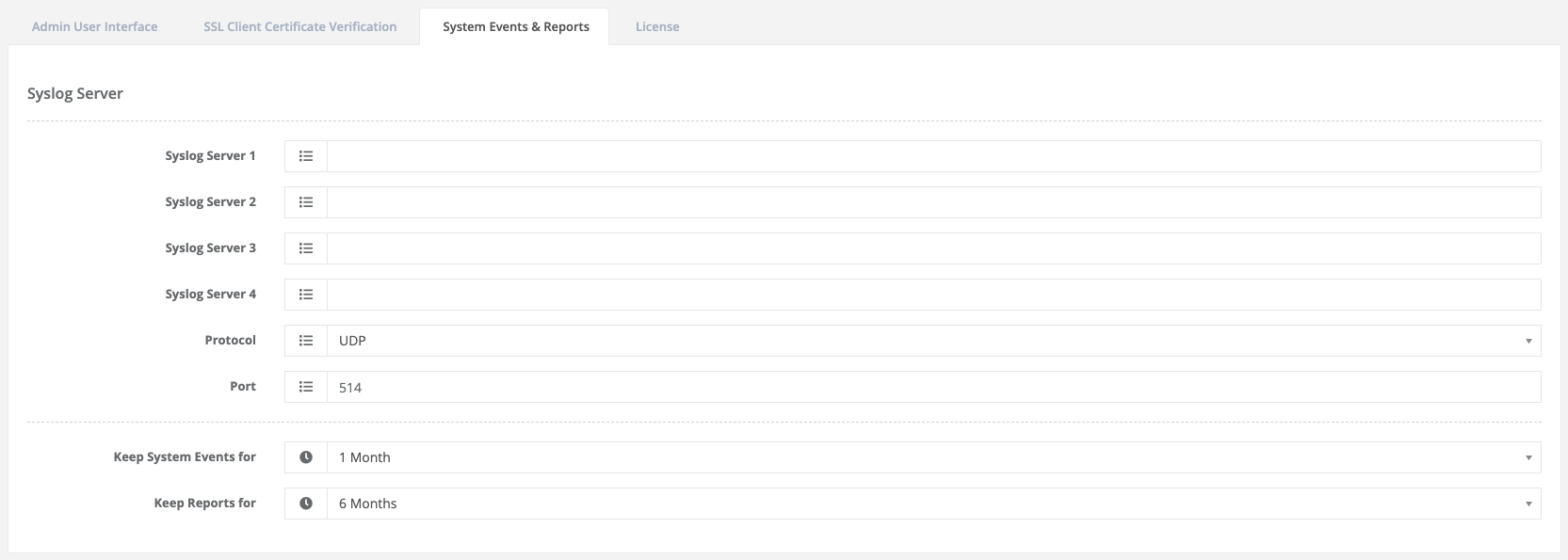
The System Events & Reports settings control the retention and external forwarding of system events generated by the suSSHi Suite.
4.10.4. E-Mail
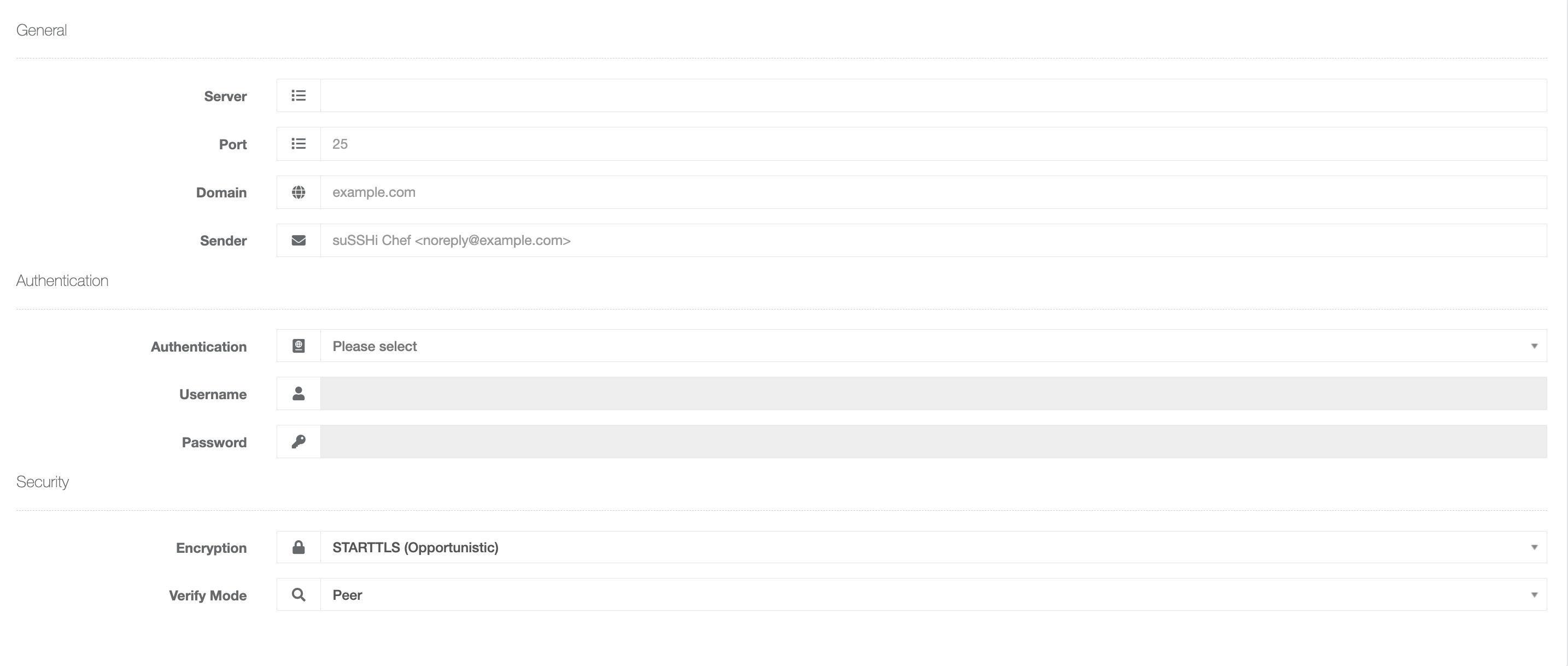
The E-Mail settings define how suSSHi connects to an SMTP server to send system-generated emails.
4.10.4.1. General
- Server
Defines the hostname or IP address of the SMTP server used for outgoing email delivery.
- Port
Defines the SMTP server port. If left empty, the default SMTP port 25 is used.
- Domain
Specifies the SMTP domain or HELO/EHLO domain presented during SMTP communication.
- Sender
Defines the sender address used for outgoing emails. The value must follow RFC 5322 email address syntax and may be provided either as a plain email address (e.g.
noreply@susshi.io) or as a formatted address with an optional display name (e.g.suSSHi Chef <noreply@susshi.io>).
4.10.4.2. Authentication
Authentication settings define how suSSHi Chef authenticates against the configured SMTP server.
- Authentication
Selects the SMTP authentication mechanism.
- Username
Username used for SMTP authentication.
- Password
Password used for SMTP authentication.
4.10.4.3. Security
- Encryption
Defines how the SMTP connection is secured.
- Verify Mode
Controls SSL/TLS certificate validation.
Peervalidates the server certificate against trusted CAs, andNonedisables verification (not recommended for production).